Todo App in essence
How AppWeaver's local-first Todo App grew from markdown-style lists into a powerful Nostr-native task system with drafts, focus mode, prioritization, filtering, and folding.
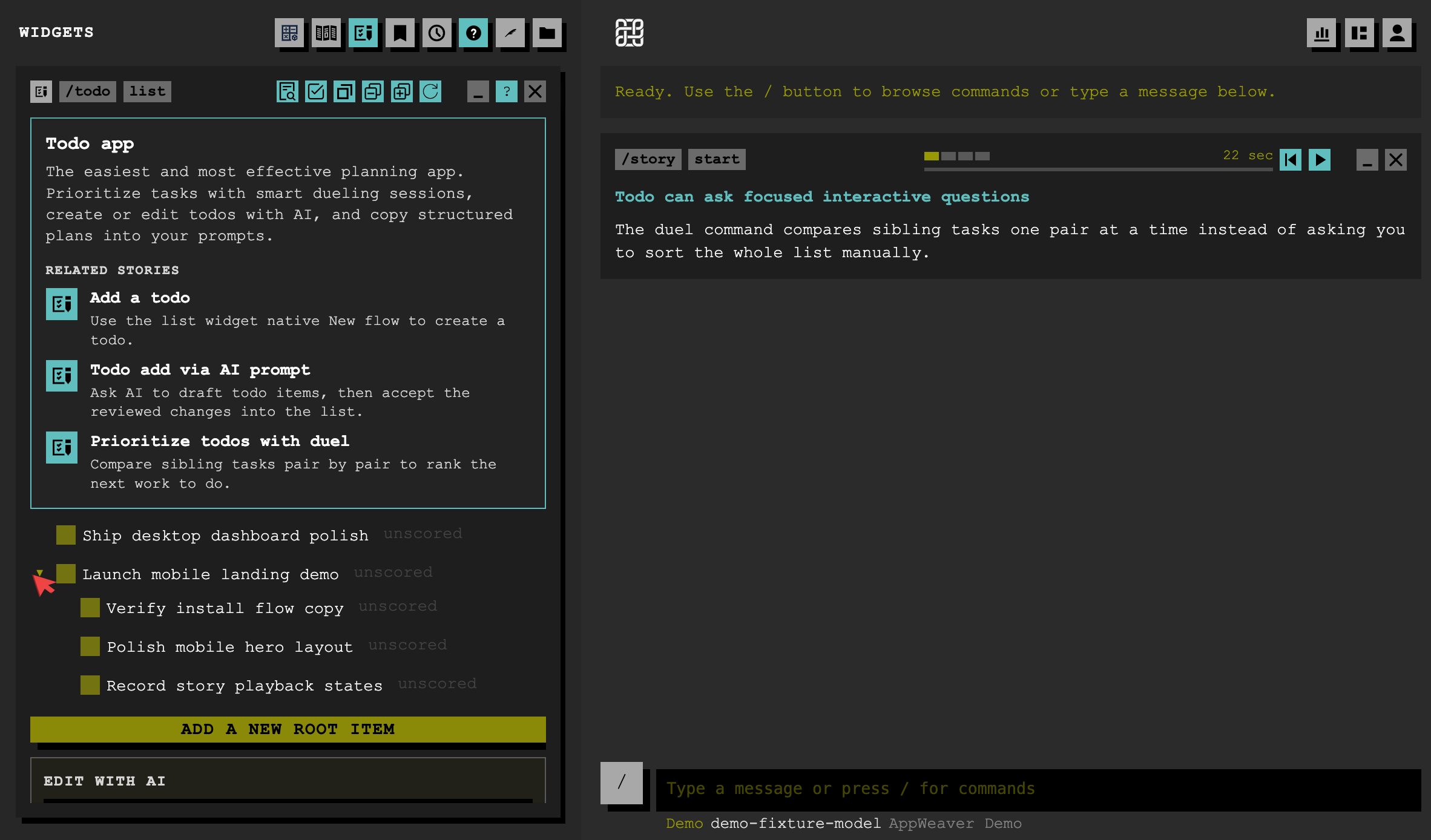
A local, database based, backend application that AppWeaver helps you to use it from a NOSTR chat application via text commands, or use it from the AppWeaver web UI
These features are not specific to the Todo App, but it definetely helped shaping AppWeaver what it is today.
I decided to design the todo app to be very close to regular markdown lists. In fact if you use Todo App using NOSTR chat, you view the items in markdown format.
But markdown as it turns is not exactly the best way to work with todos if you're constantly editing them. Some of the downsides:
- Hard to edit with your phone
- You need to either delete done items, or move them into a separate list
- You can be lost in huge lists
- Can't reliably reference them because lack of persistant IDs
- Hard to sort/order
- Hard to filter by status
and so on. I have built solutions to all of these problems while constantly using and testing it. It's very useful to me and I believe it would be to others as well.
What else I provide with the Todo App
AI drafts
AI modifications are still possible -maybe you want to mass edit it-, but with using drafts. AI can't directly modify your todo lists, instead it creates draft actions (add, edit, delete). You can review the drafts to reject or accept, and even revise the draft.
Focus mode
You have a lot of items but you want to focus on a specific branch of the tree. It reduces the clutter.
Prioritization
It's hard to understand which item is the most important one, especially when it's deep in the tree. App helps you define "champions" within each branch, and let you do a tournament style match sessions between each other to have a clear "winner" 🏆. Nowadays this is my favourite feature, it helps me to see the all the important tasks and the most important one, so I don't get lost.
Advanced filter
Use the checkmark toolbar button to filter items by their status. You can find the item you accidentally marked it as done and bring it back, or maybe you want to see your achievements and filter "done" items. Or sometimes just want to see what you are working at the moment by filtering only "In Progress" items. Now I added "flat" and "champions only" view options there. It's a powerful combination, I might say.
Folding
Easily expand, collapse all items. Another little utility from the toolbar. Also check the filter when you need to find a specific item. It's powerful, too.
Closing
Visit todo website to watch the story gifs, or use the interactive demo to see it yourself.