Captain's Log journal plugin
Captain's Log is a private journaling plugin for AppWeaver. It provides quick capture, recent/today views, search, editing, draft review, and explicit Nostr publishing for entries you choose to share.
Command: /journal (alias for the journal plugin)
Demo
Commands
| Command | Description |
|---|---|
/journal add <text> |
Add a private journal entry |
/journal today |
Open today's diary-style journal view |
/journal list |
List recent journal entries |
/journal search <query> |
Search saved entries |
/journal edit <id> <text> |
Replace an entry body |
/journal delete <id> |
Delete an entry |
/journal publish <id> <nostr://nevent...> |
Mark an entry as published |
/journal inspect <id> |
Check the published event on its author's write relays |
/journal inspect-publish <id> --relay <url|all> |
Resend the original signed event to missing write relays |
/journal drafts |
List pending AI-created drafts |
/journal accept <draft_id> |
Save a pending draft as an entry |
/journal decline <draft_id> |
Discard a pending draft |
/journal config |
Show journal configuration |
/journal help |
Show command summary |
Web Widget
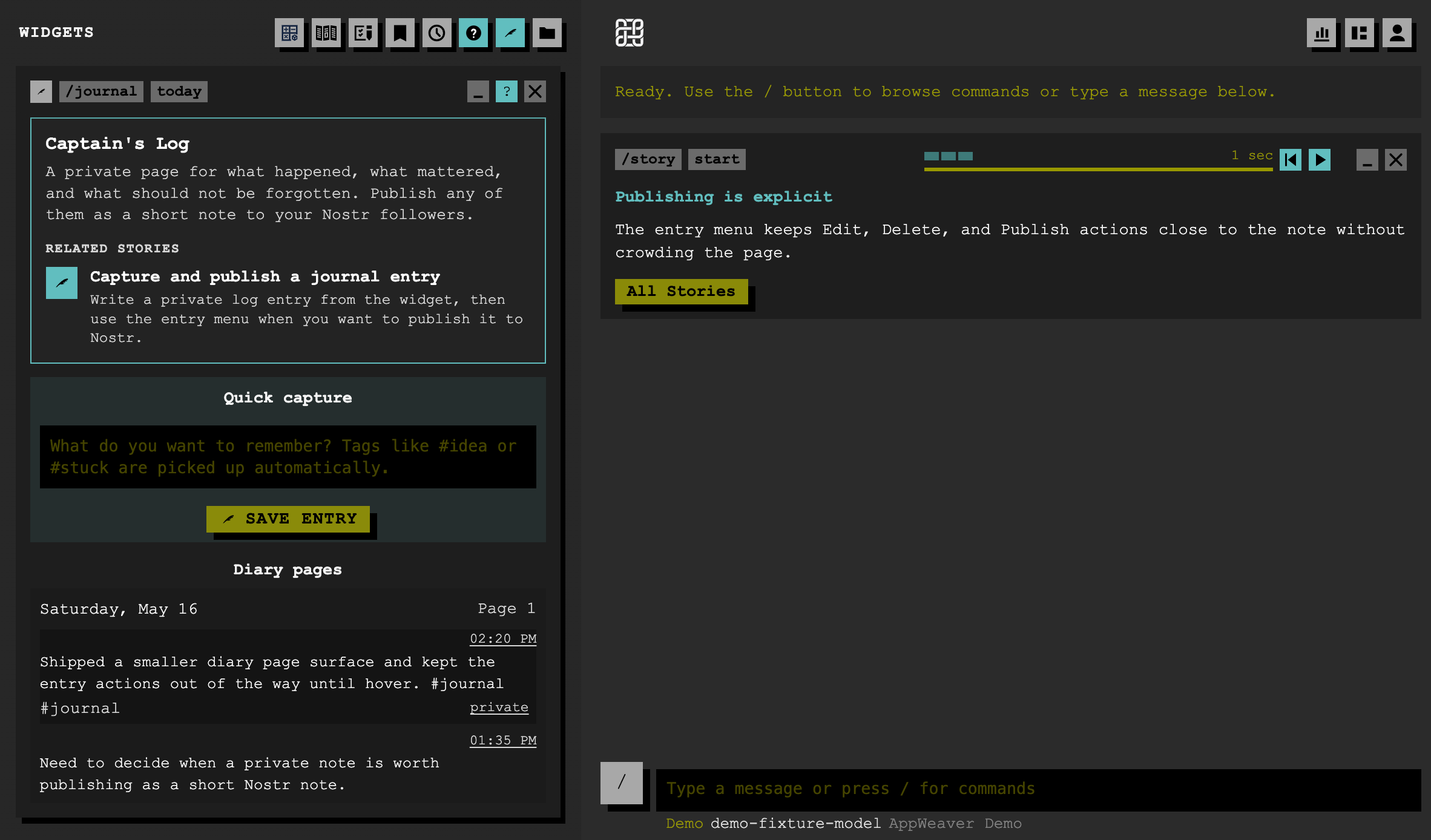
The today command registers the Captain's Log widget. It includes a quick-capture form, diary-style pages, per-entry actions, and a guided story for capture and publishing.
Entries are private by default. Publishing is an explicit action: the web client signs and publishes a Nostr kind:1 note, then the plugin stores the resulting nostr://nevent... link.
Published entries expose Open event and Inspect event. Journal renders inspection through ordinary app commands in the shared modal: check write relays, refresh, and resend the original signed event to individual or all missing write relays. It does not create a replacement event if the original cannot be retrieved. Inspection also shows relay hints embedded in the saved link, even when they are outside the author's current write-relay list. Fresh retrieval, existing relay history, and link hints are labeled separately; failed discovery does not hide the known relay rows. See published-event inspection.
Drafts
AI-created entries are stored as drafts first. Use /journal accept <draft_id> to save a draft, or /journal decline <draft_id> to discard it.
Plugin Data
- Database:
db.sqlitein the plugin directory. - Runtime files:
db.sqlite,db.sqlite-shm, anddb.sqlite-walare ignored by git. - Storage model: entries are local and private unless explicitly marked as published.